Using Pedestal 3D in teaching and assessment
Pedestal 3D is a 3D model hosting platform which allows teachers and students to explore object-based learning practice when direct access to objects in the University's collections is unavailable. This can be used to expand object-based learning to classroom environments where access to objects is unavailable, to display objects digitally in online or hybrid teaching environments, and to allow students to continue studying teaching resources outside of the classroom.
Pedestal 3D models can also be used in assessment, evaluating the hands-on skills students develop from object-based learning activities by presenting previously unseen examples. Presenting digital objects online allows students to take time to conduct an evaluation of the objects without the need for supervision.
To find out more about how to use Pedestal 3D, visit the getting started with Pedestal 3D guide.
Examples for how to create object-based learning tasks or assessments using Pedestal 3D are provided at the end of this guide.
Object-based learning
Object-based learning is an educational method that focuses on using material objects in teaching practice, drawing on pedagogies of experiential and active learning to enrich engagement. It has been found to enhance analytic skills and lateral thinking, while also preparing students to put their acquired skills and knowledge into practical use.
Object-based learning traditionally uses authentic materials or physical replicas, such as natural history specimens, works of art, or historical artefacts. With the digital 3D models hosted on Pedestal 3D, we can now expand object-based learning practice to include digital surrogates.
Digital surrogates
A digital surrogate is a digital version of an object that serves as a stand-in for the original. Unlike photographs and diagrams, digital surrogates permit the viewer to interact with an object as though they were handling the original, determining for themselves how they would like to view it.
Digital surrogates have an advantage over physical originals in that they can be easily shared and manipulated without risk to the original. This allows students to engage in object-based learning activities outside of supervised spaces.
Pedestal 3D and digital object-based learning
Digital models hosted on Pedestal 3D can be used to support or supplement classroom object-based learning activities. These 3D models offer opportunities for student to engage with objects:
- Prior to physical object-based learning
- After physical object-based learning
- When certain objects are unavailable for physical interaction
- Using tools that are unavailable when working in person
While physical object-based learning offers unique opportunities to engage with the materiality of real-world objects, digital surrogates hosted on Pedestal 3D offer tools that can allow students to analyse the objects differently, which can enhance student understanding and engagement. These tools include features such as:
- Xray view to see the interior structure of objects
- Measuring tools to analyse key features of the objects
- Manipulation tools to see the object from any angle the student chooses, without risk of damage
- Lighting tools to emphasise fine surface details
A guide on how to use these tools can be found in the getting started with Pedestal 3D guide.
Pedestal 3D and assessment
Assessment of object-based learning skills can be difficult to arrange due to the need for supervision when handling delicate materials. Pedestal 3D can be used in building assessments to evaluate acquired object-based learning skills from classroom activities. Models can be embedded into quiz pages on the LMS, with students asked to respond to the displayed model through multiple choice questions or short essay responses.
By presenting a previously unseen object that is similar to the physical objects presented in class, Pedestal 3D allows you to test whether the skills taught using the physical objects have been retained and provide an opportunity for students to reinforce and identify gaps in their new skillset.
Examples
Here are some examples of embedding Pedestal 3D models into Canvas to support object-based learning activities and to evaluate skills acquired through object-based learning. We encourage you to experiment with designing your own activities and assessment using models for the collection.
Pottery analysis using Pedestal 3D
In this example, students are asked to make observations on some of the ancient ceramics based on content provided in the module.
Student are shown a video, embedded in their subject module, which discusses the types of analyses archaeologists undertake on pottery.
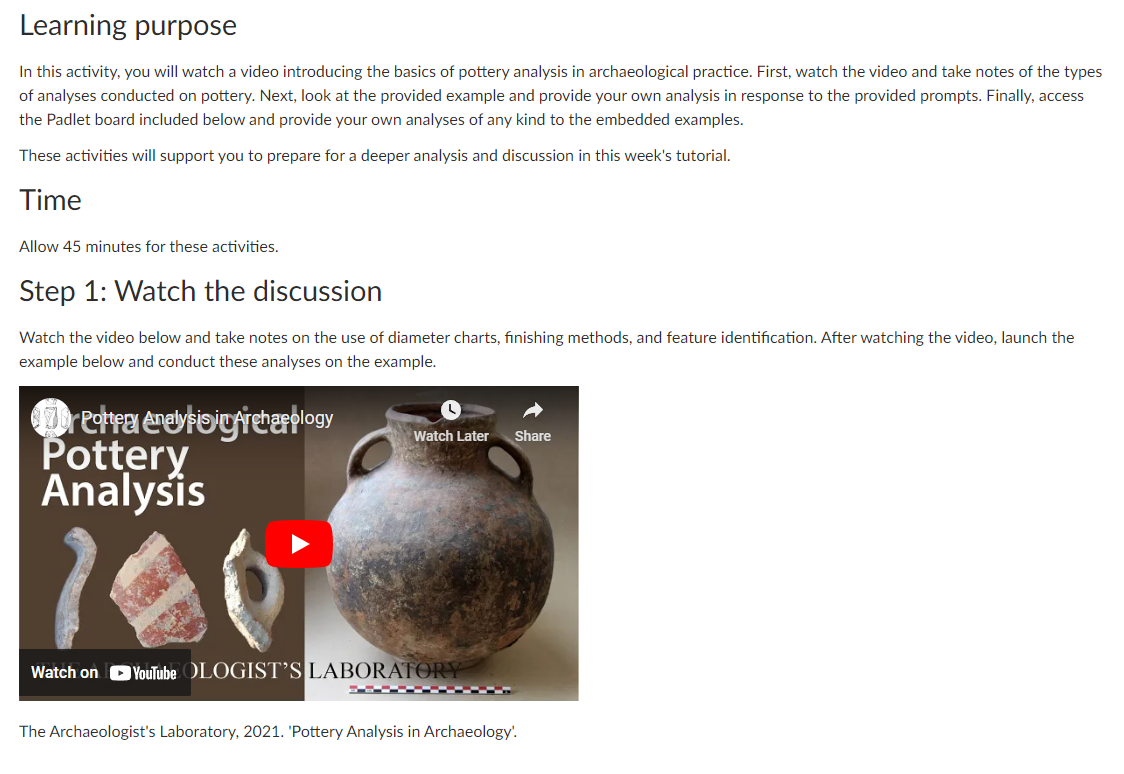
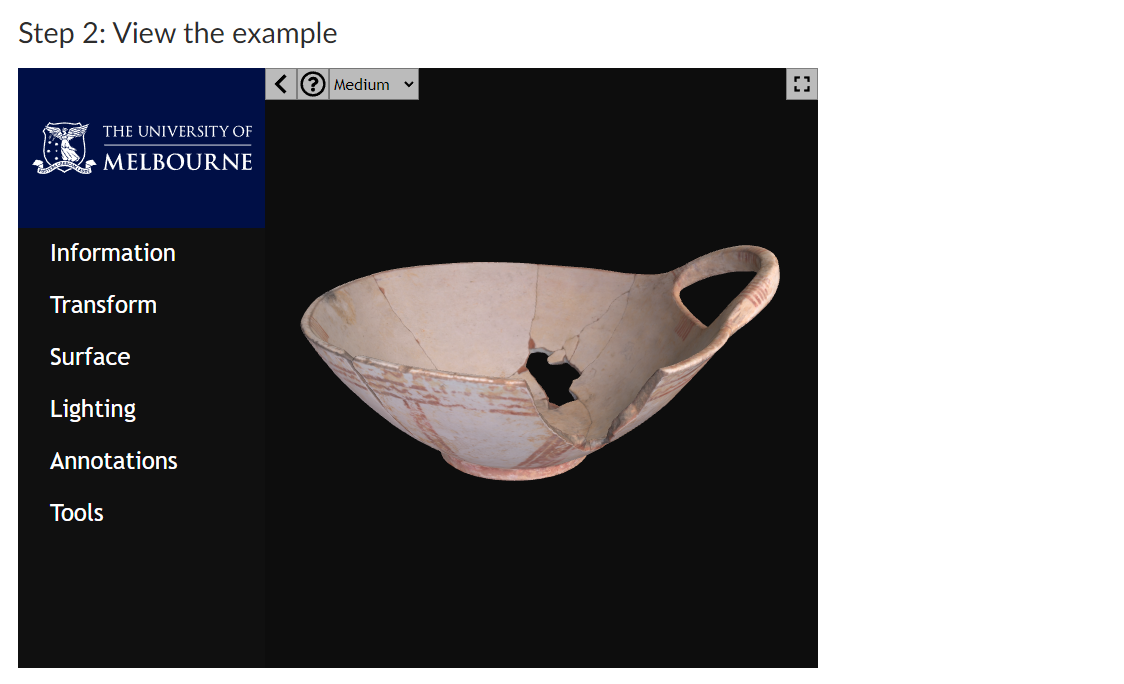
An example of a Bronze Age Cypriot bowl is provided below, with the 3D model embedded from Pedestal 3D (see the getting started with Pedestal 3D guide for instructions on how to embed models from Pedestal). Students are asked to apply the skills presented in the video to the example.
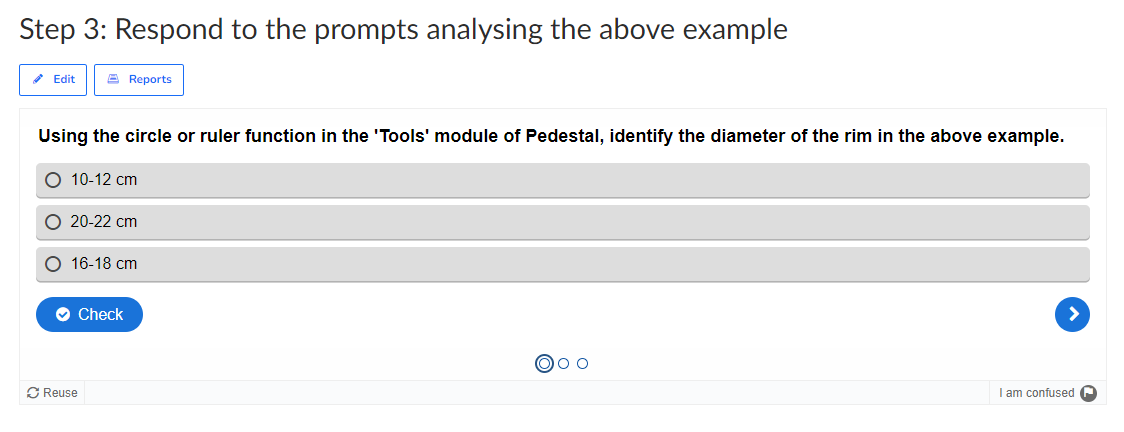
Below the 3D model, a brief quiz in H5P asks some questions that require students to apply the analyses discussed in the video to the embedded 3D model.
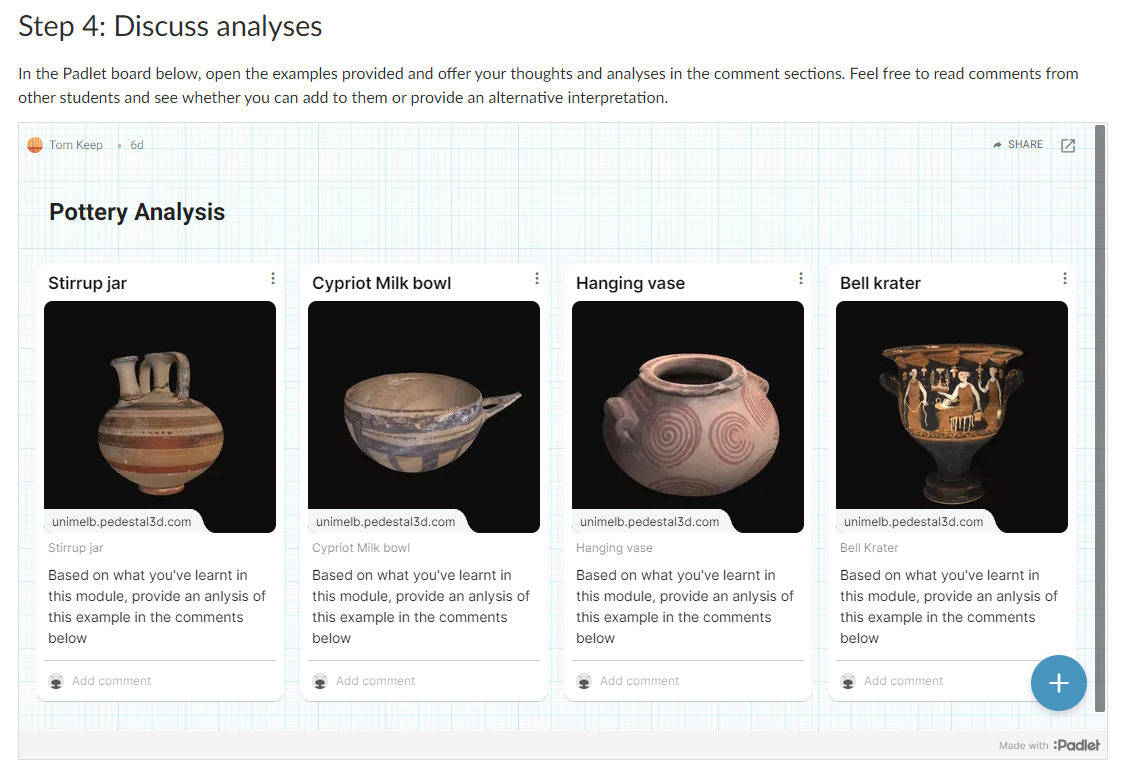
The module concludes with a Padlet board, where students can leave comments and have discussions on their observations of other similar models available through the University’s Pedestal 3D page.
Identifying material culture quiz using Pedestal 3D
In this example, students are tested on their ability to analyse ancient pottery and coins using a multiple-choice quiz. This example provides documents containing the necessary information, which in your subject could be required readings or lecture content.
The quiz presents an embedded model from Pedestal and resources for analysing the displayed model, before asking a group of three questions testing students on their ability to apply the learning content to the embedded example.
Multiple-choice questions are used here for an example of formative assessment, while essay responses may be a preferable option for summative assessment.

This guide was last updated 15 Jul 2026.
Submit an LMS support request for further assistance or to report any errors or omissions in this guide.