Known issue: When importing content into a Canvas subject, all items are imported when no content is selected
Issue
When staff import content from one Canvas subject to another, users can elect to copy All content or to Select specific content. The option Select specific content allows users to check items from the original subject (for example, modules, pages, question banks) into the new subject.
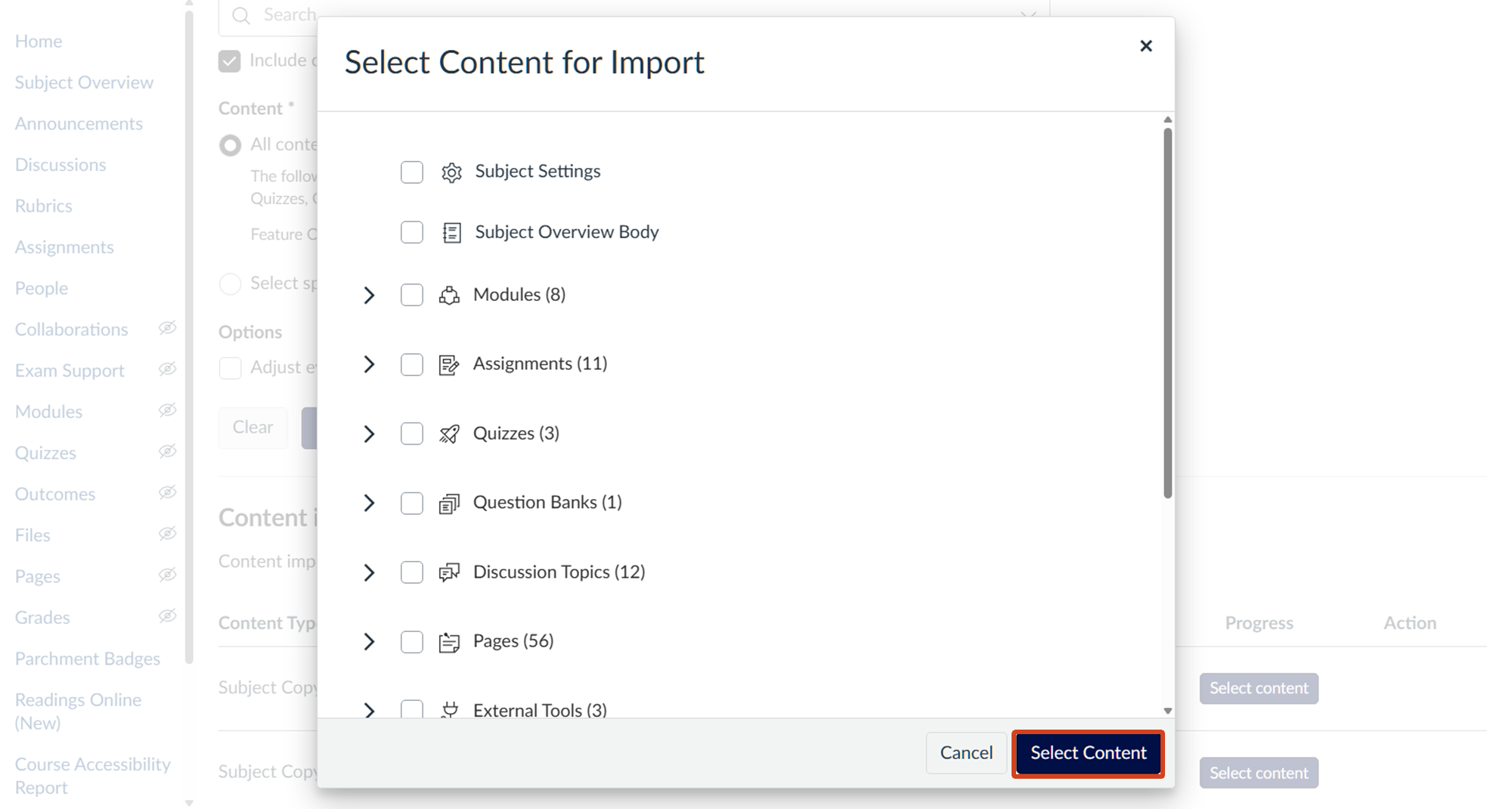
However, when no items are selected and the Select Content button is clicked, all items are imported.
Status
The vendor is aware and is investigating a solution.
Workaround
As a workaround, we recommend selecting Cancel - instead of Select Content - if no content needs to be imported.
Support
Please submit a support request with Teaching and Learning Innovation with any questions or concerns.
More Information
Teaching and Learning Innovation