Cogniti for students
Cogniti is a AI-based tool that your instructors can implement in subjects to enhance your learning experience.
What is Cogniti?
Cogniti is a learning tool that enables you to interact with AI-assisted learning agents and activities. These agents and activities are created and managed by subject coordinators and instructors, allowing you to use AI that is tailored to support your learning outcomes.
Agents and activities are set up with parameters, allowing you to receive relevant and appropriate responses in conversations, and are designed to promote inquiry, critical thinking, problem-solving, and reflection to support meaningful learning.
Accessing Cogniti
Cogniti agents are embedded into Canvas as activities. You can access Cogniti on the pages where agents are embedded by your subject coordinator or instructors.
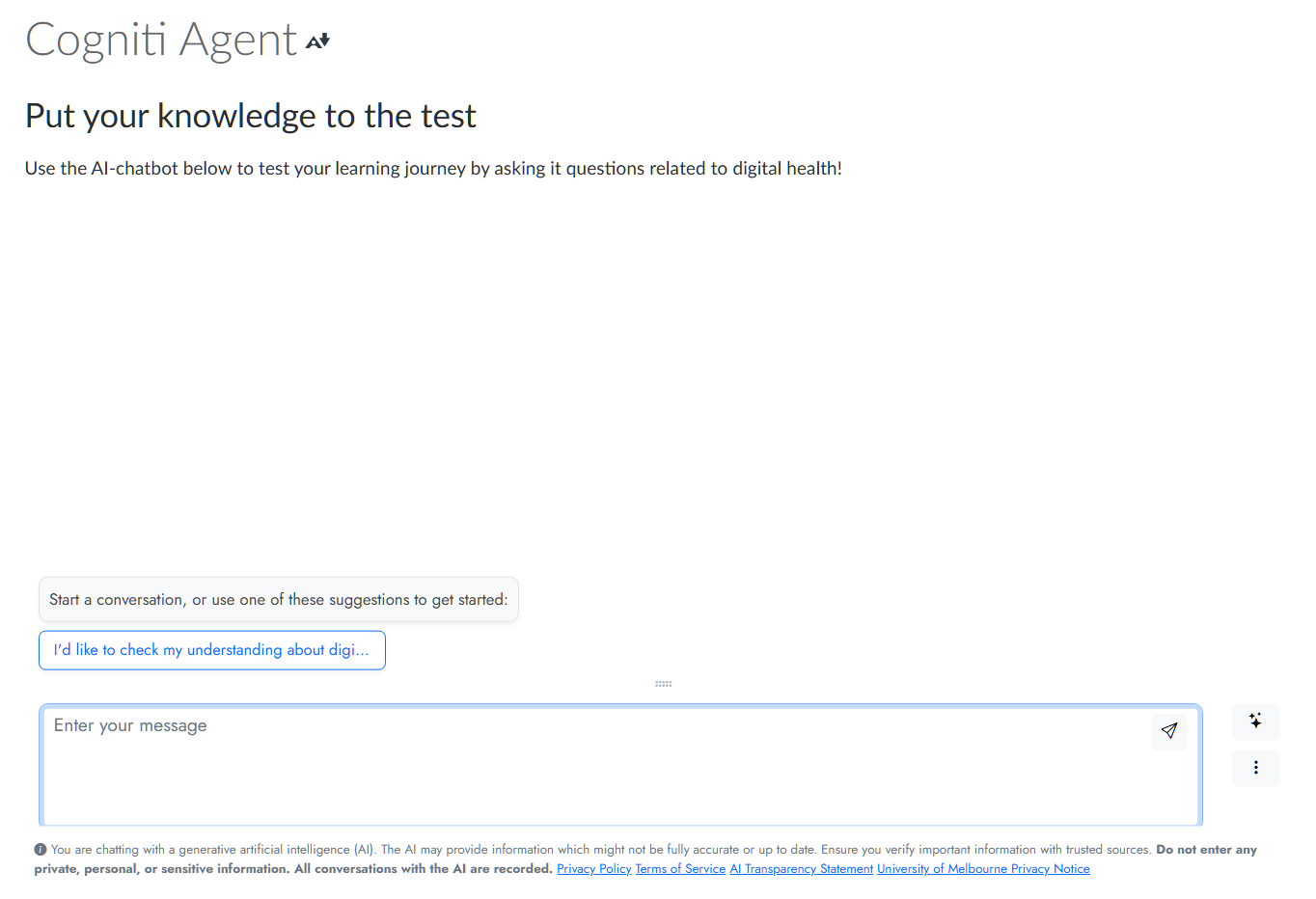
Using Cogniti
Your use of Cogniti’s agents or sandboxes will highly depend on the purpose behind its design and implementation in your studies. However, there are a few broad tips that can be applied when interacting with Cogniti:
- Responses provided by different agents created in Cogniti are specific to their context. Responses will differ by agent depending on their purpose.
- The quality of your interaction with agents is dependent on your input. See our guide on using GenAI effectively for prompting tips. For additional questions, book an appointment with an Academic Skills adviser for support with how to use AI effectively.
- AI can be unreliable and its output should be approached critically.
- Any and all usage of AI tools when completing an assessment must be declared.
Conversation history
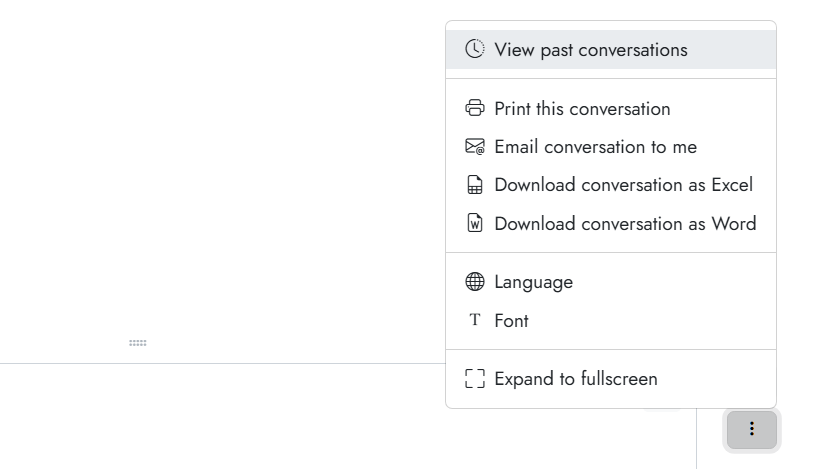
Your conversation history with Cogniti agents can be found in the three-dot menu, by clicking on View past conversations. Previous conversations can also be restored and resumed. Furthermore, additional options allow you to print, email, or download your current conversation.
Note that staff behind the Cogniti agent in your subject are able to access and view your conversation history.
For more information about how data is stored in Cogniti, see Cogniti’s guide on data protection.
Academic integrity
GenAI can be helpful in your studies for many reasons, be it for revision or for helping you organise your study schedule. While you can use GenAI to support your learning, the University of Melbourne has clear policies regarding GenAI use in assessments.
Note that any and all usage of AI tools used when completing an assessment must be acknowledged and declared, including for brainstorming, planning, and proofreading. However, you should always consult your subject coordinator or instructors for guidance and advice around whether AI-use is permitted in your assessment, and how to declare it.
For information on how to write an AI-use declaration and where to include it in your assessment, see acknowledging AI tools and technologies.
Safety
Prior to using any GenAI tool, it is good practice to understand how they collect, store, and use your information. Different tools will vary in their levels of privacy protection and compliance with ethical standards. To view Cogniti’s privacy notice, see Cogniti’s terms and policies.
As with other GenAI tools, when using Cogniti, be aware of its limitations and risks. Accuracy, privacy, and intellectual property are things that should be carefully considered prior to conversations with AI tools.
Cogniti also displays flags for inappropriate behaviour or violent speech that can be accessed and reviewed by your subject coordinator.
For more information on how to use GenAI safely, please see GenAI at Melbourne.
Support
If you require assistance, please contact the following services:
- For support with academic and communication skills see Academic Skills.
- For free counselling and psychological services see student appointments: Counselling and Psychological Services (CAPS).
- For academic support for students with disabilities and health conditions see Student Equity and Disability Services (SEDS).
- For support with academic and communication skills see Academic Skills.
- For support with and to report inappropriate, concerning or threatening behaviour see Safer Community Program.
For support with your subject, please contact your subject coordinator. If you experience any technical issues, please request LMS support.
This guide was last updated 21 Aug 2026.
Submit an LMS support request for further assistance or to report any errors or omissions in this guide.