Structured light scanning
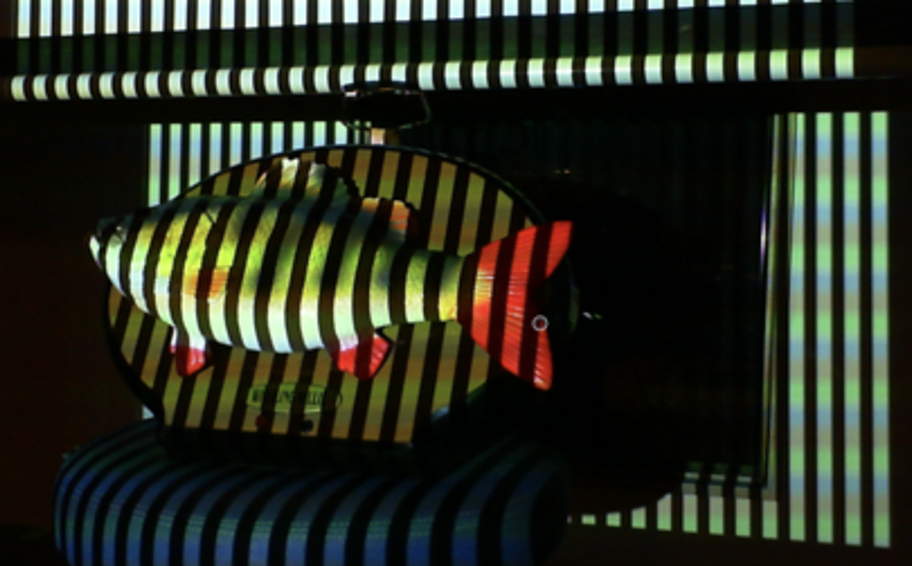
Structured light scanning (SLS) is a method of 3D modelling that measures the deformation of a projected light pattern on a real-world object to calculate geometry and generate a 3D digital mesh. SLS is generally much faster than photogrammetric modelling but tends to create models with lower resolution diffuse textures.
SLS can be regarded in three stages, each of which involves different forms of data that should be recorded and retained in some manner. The steps and associated data are listed here:
- Data capture
- Point cloud data (PLY)
- Capture metadata (recorded in a README.txt file saved in the main project file)
- Lighting conditions, scanner settings, the use of a turntable, etc. Any information which would be helpful for future users to understand the capture process used to replicate the model.
- Processing
- Project file: often saved in a proprietary format such as SPROJ for Artec Studio
- Point cloud editing metadata (recorded in the same README.txt file)
- 3D mesh editing metadata (recorded in the same README.txt file)
- Export
- 3D mesh data (OBJ)
- Diffuse texture files: colour data for the 3D mesh (PNG or JPEG)
- Material file: informs rendering software how textures are applied to the mesh (MTL)
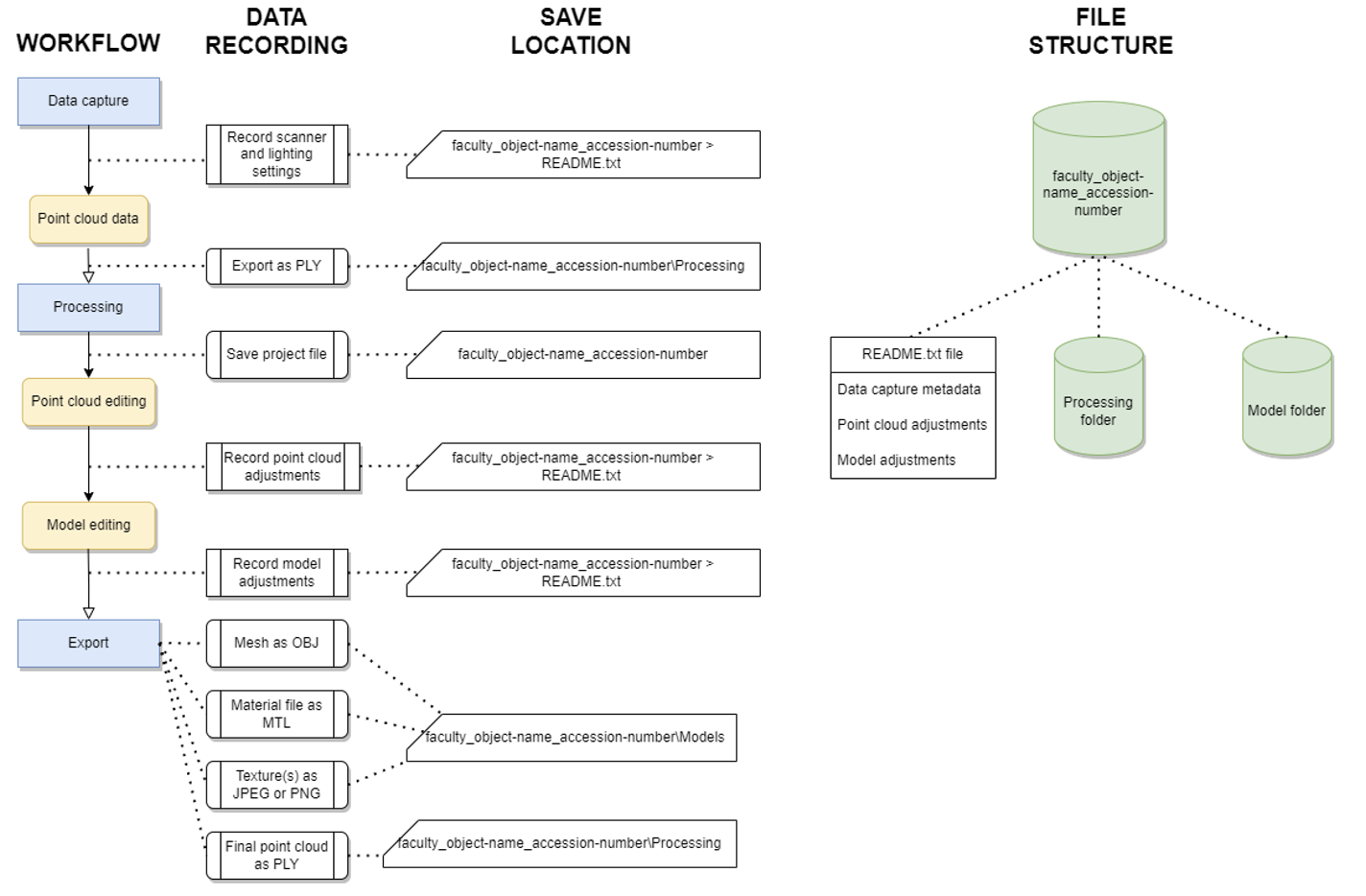
Data capture
Data capture using a structured light scanner involves recording point clouds using a structured light pattern projected on to the target object which is recorded by the scanner’s camera. Basic scanners only record the geometry of the target object; more complex scanners may feature a second camera that simultaneously records the colour data of the target object to produce a diffuse texture. Data capture may involve a single scan or multiple scans which are to be aligned during processing.
Details of the data capture process should be recorded and saved in a README.txt file that is saved in the main project folder. Details such as the scanner and other equipment used, lighting conditions, and the number of perspectives scanned should be recorded here.
Captured point cloud data should be exported from the scanning device and saved as a non-proprietary ASCII format(PLY) within an organised and consistent file structure that follows a discernible naming convention to assist with future discoverability.
If a colour texture is also being produced, the photographs taken and used to create the image texture should be saved in a discoverable folder in a lossless compression format. Most scanners do not provide the option for images to be saved in raw format or in DNG format: if this is the case, photographs should be saved in PNG or TIFF format.
During the process of data capture, it is advisable to separately record associated metadata about the project and save it in a README.txt file that will be stored with the project files. Metadata may include data such as the name of the project, the name of the target object/area/environment being modelled, an ID code associated with the target (such as a museum acquisition number), a brief description of the target, the date of the data capture, the instrument used to scan the object, and the name of the person operating it. If you feel any additional information is relevant, this is the time to write it down and save it in this document.
Processing
Once scanning data has been acquired, it must be processed to create a 3D model. Some scanners may have viewports that show a 3D model being generated on-the-fly – it is important to recognise that this model is only a low-detail preview intended to indicate the comprehensiveness of the data captured, not act as a final model. Many scanners use proprietary software to create models. However, models can be created from the exported point cloud data in a variety of software packages provided the data is exported in a non-proprietary file format.
Processing SLS data often requires alignment of multiple scans to create a complete model, and this process will typically include manually editing the separate scans. Details such as this should be recorded in a README.txt file saved in the main project folder. Details of the processing software (including version number) used should also be included here, as should details of the texture generation process.
Once the final alignment is complete and a 3D model has been created, lower-detail versions should be produced so that the model is accessible on a variety of devices when uploaded to Pedestal 3D. Some proprietary SLS software such as Artec Studio v18 have in-built decimation features that allow you to create lower polygon versions. If this is not available in the modelling software used, open-source software such as Blender or MeshLab have decimation functions available.
Export
The high, medium, and low detail models should be exported separately and named according to the conventions outlined in the Pedestal 3D Upload Guide. The models should all be named identically except for_hp, _mp, or _lp at the end of the title to indicate high, medium, or low detail respectively. The following 3D mesh and image size are recommended for each level of detail:
- Low detail (lp): Up to 100,000 triangles.
- Medium detail (mp): 100,000 to 500,000 triangles
- High detail (hp): the full detail model
The following convention is recommended, with underscores connecting the elements:
faculty_object-name_accession-number_version-number_level-of-detail
Models should be exported as OBJ files for upload to Pedestal 3D, with the diffuse texture exported separately as an image file. An MTL file will also be produced informing hosting software how to connect the image file to the 3D mesh. As Pedestal 3D has upload limitations, it is recommended to export diffuse textures as JPEG or PNG images to allow more upload space for the 3D mesh.
PLY point cloud files of the final model should be exported separately for archival purposes, although they will not be uploaded to Pedestal 3D. They should be titled in the same format as the 3D model. It is not necessary to export point cloud data of the decimated models.