How do I see student IDs in the Gradebook?
To view Student IDs in the Gradebook:
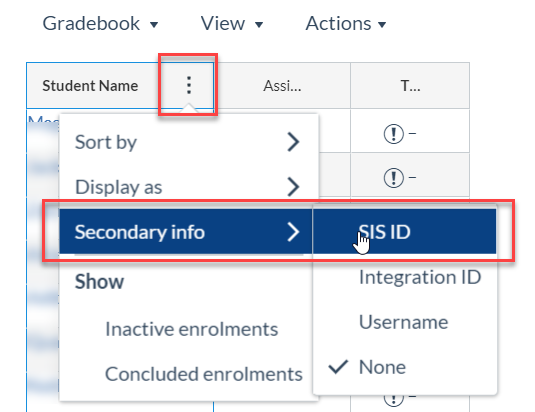
- Click Options in the Student Name column heading.
- Select Secondary info > SIS ID.
The Student ID will then display under each student’s name.
To learn more about how to use Gradebook, please refer to the Canvas Community Guide: How do I use the New Gradebook?