Feature release: EchoVideo Player Styles
All media added to EchoVideo adopts the University’s default Player Style with the copyright notice.
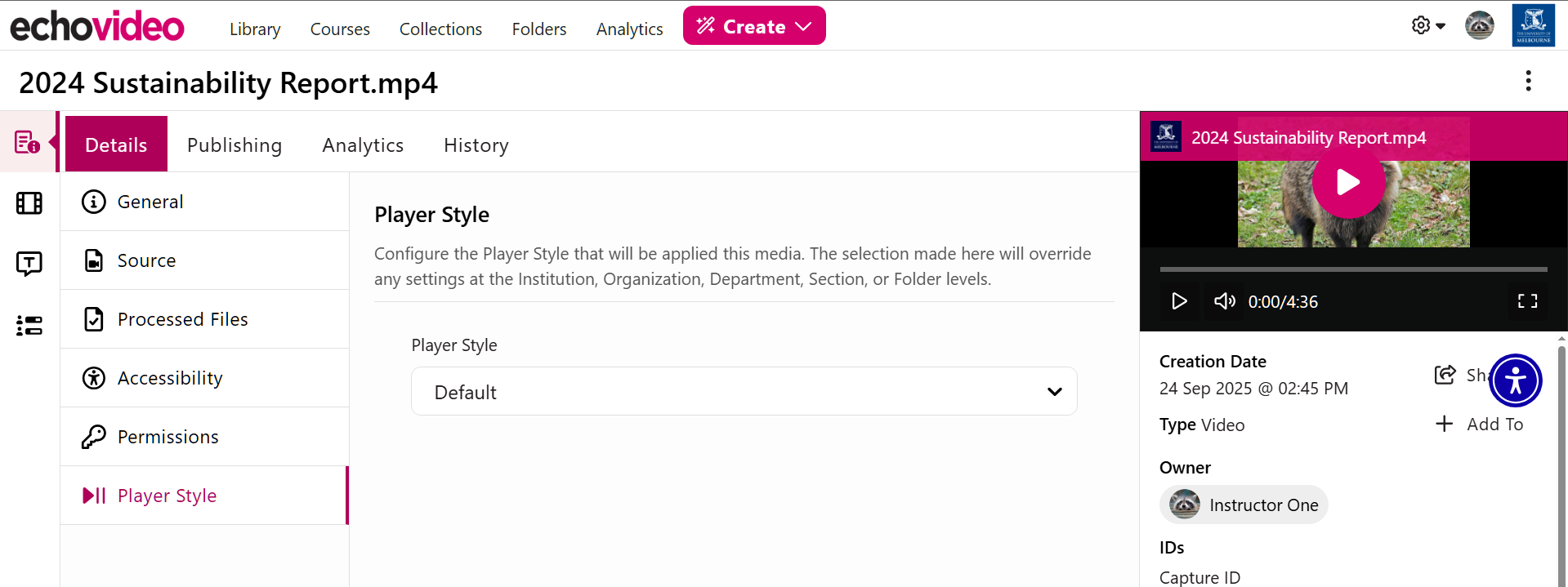
Alternative Player Styles can be selected for individual media by navigating to its media details page and selecting the Player Styles menu on the left.
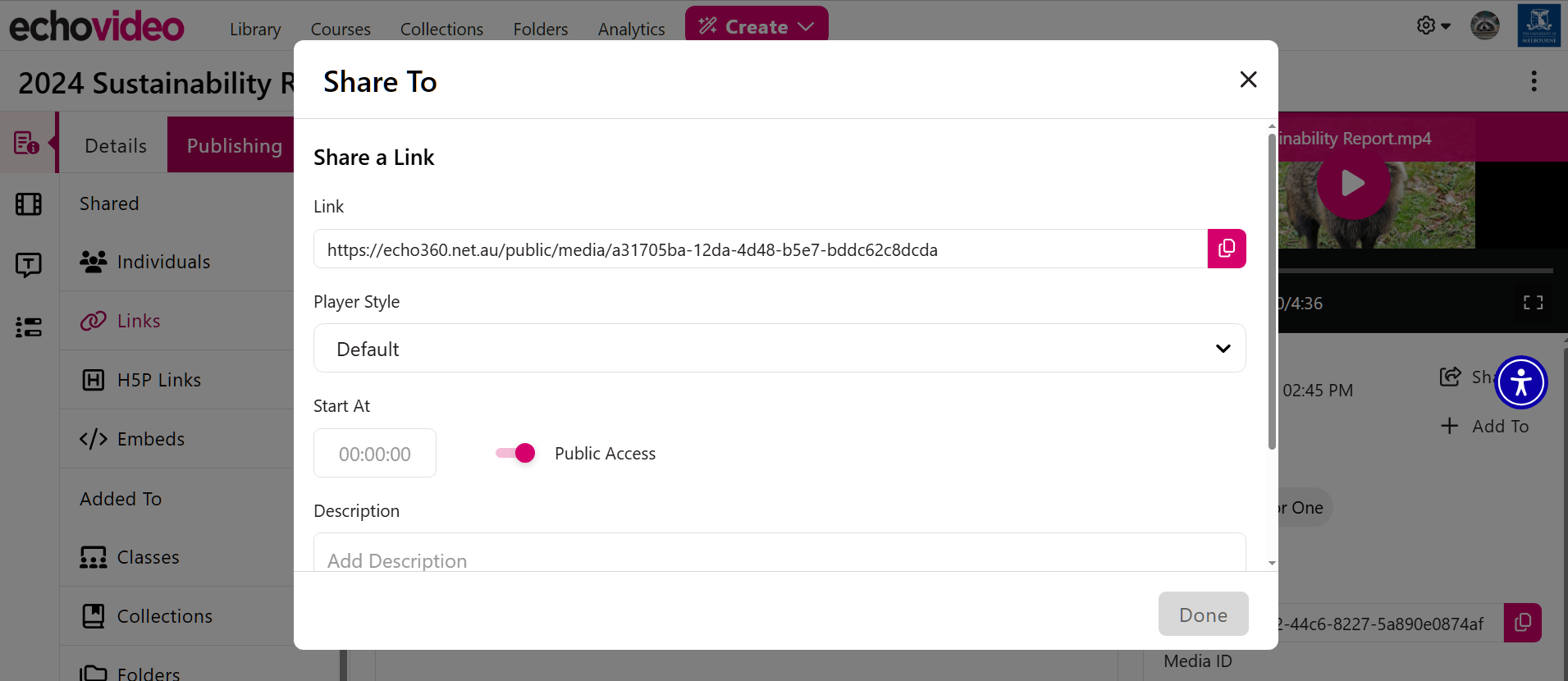
Alternative Player Styles can also be applied to share links and embeds for your media under the Publishing tab.
More information on each of our available Player Styles, such as those without the default copyright notice, can also be found on our Lecture Capture policy page. Note that alternative player styles should only be applied where you are certain the style is appropriate for the media.
Please submit a support request with Teaching and Learning Innovation for advice on applying or creating alternative Player Styles for your media.